

Every webmaster knows that creating the perfect website can take months of planning, designing, testing, and retesting. But what many tend to overlook is that, without regular website maintenance, the site that took months to create will eventually fall behind the power curve.
Visitors take only an average of 0.05 seconds to decide whether a website is worth scrolling through. So, it’s critical that everything from loading times to content quality is in top shape. Know how to maintain a website, what items need attention, and plan for maintenance. Proper planning can turn skeptical visitors into happy customers.
What is Website Maintenance?
Website maintenance typically defines the steps taken to ensure your website is up-to-date and performing effectively. Think of it as a blanket term that covers a number of content, design, technical, and security procedures.
Here’s a look at what’s involved:
| Service Area | What’s Included |
| Content Updates | Refreshing pages, publishing new content, fixing outdated information, and adapting to the latest SEO and GEO requirements. |
| Technical Maintenance | Updating CMS platforms, themes, plugins, and custom code to prevent errors or conflicts. |
| Security Management | Applying security patches, monitoring for vulnerabilities, preventing malware, and managing backups. |
| Performance Optimization | Improving page speed, fixing broken links, optimizing images, and ensuring mobile responsiveness. |
| Monitoring and Testing | Checking uptime, forms, integrations, and user flows to catch issues early. |
| Compliance and Accessibility | Keeping the site aligned with legal, privacy, and accessibility standards as they evolve. |
Website Maintenance Based on Business Size and Complexity
Web maintenance processes usually depend on what your business needs or what issues need to be addressed. Here are a couple of factors to consider:
- Website maintenance vs one-time fixes: Site maintenance can range from routine content updates to ongoing work like security monitoring and scalability optimization. One-time fixes, on the other hand, deal with immediate, isolated problems like correcting a layout bug.
- Website maintenance for small business vs enterprise site: Web development services for small businesses focus on essential tasks (updating content, backups, and tuning for reliability and cost-efficiency). In comparison, enterprise sites need complex maintenance, including multiple environments, high-traffic optimization, advanced security, coordinated workflows, and more.
How Website Maintenance Affects Your Bottom Line
Having a good-looking website is great, but what is website maintenance really affecting beyond that? Well, every other component of the website plays a major role in attracting visitors and driving conversions, not just its looks.
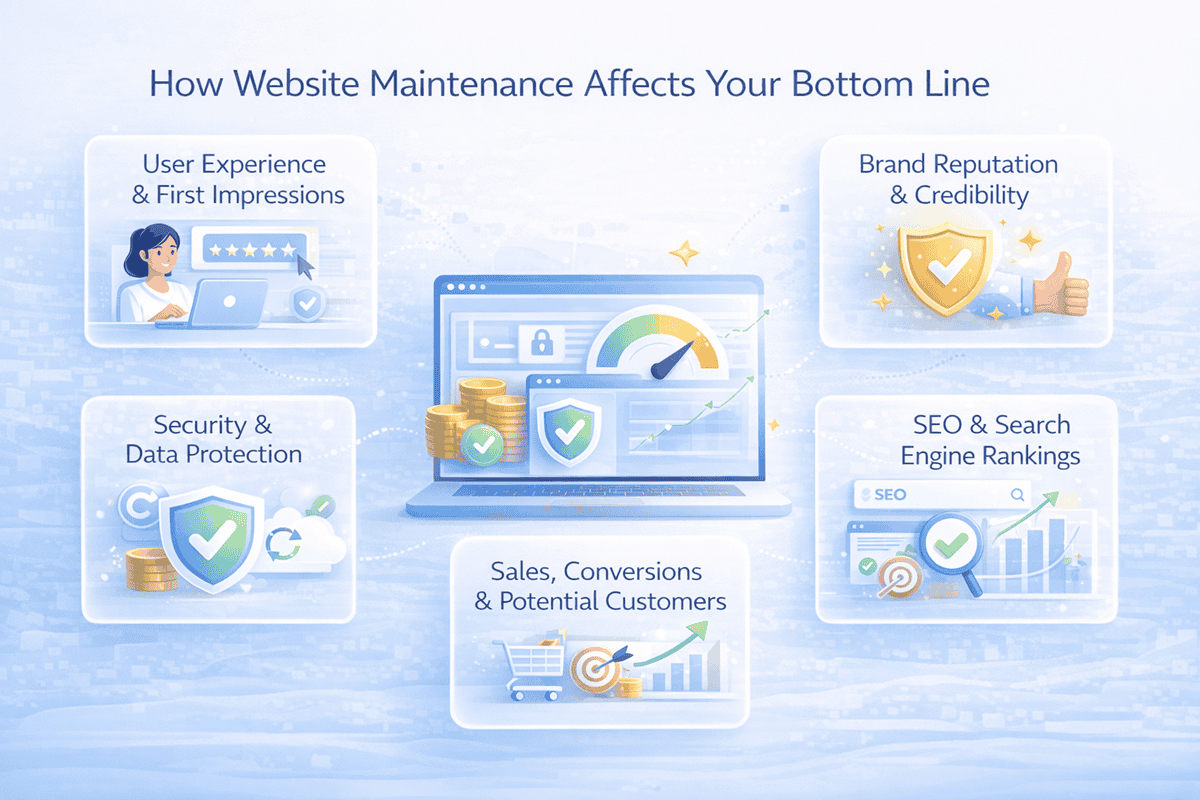
Here’s what’s really impacted.
- User experience and first impressions: First impressions are everything for a successful website, and 94% of those impressions are design-related. With 88% of consumers being less likely to return after a negative experience, making sure the web layout and design always make a good first impression is imperative.
- Brand reputation and credibility: When consumers know that your website content is regularly updated, bugs are quickly fixed, and the software is up to date, their trust in your business and services grows.
- Security and data protection: A lot of hacked websites use outdated software or bad plugins. With regular maintenance, you could reduce exposure by applying security patches, monitoring threats, and maintaining SSL certification, which protects sensitive user data and brand trust.
- SEO and search engine rankings: Search engines love websites with high performance, accessibility, and fresh, credible content. With regular maintenance, you can support crawlability, improve performance metrics, and keep your content aligned with search intent.
- Sales, conversions, and potential customers: Any webpage downtime, buggy checkout processes, or even a malfunctioning form could directly affect your revenue. Consistent maintenance reduces those disruptions and keeps conversion paths clear so potential customers can complete actions without issues.
Components of an Effective Website Maintenance Plan
The best website maintenance plan addresses multiple aspects of the site’s health and performance instead of focusing on isolated tasks. By understanding each component’s role, you can make a plan that ensures your website always delivers value to visitors.
Security Updates and SSL Certification
Cyber threats have grown more sophisticated in recent years, with reports suggesting there are 600 million cyberattacks per day globally. That’s why security should be a top priority when maintaining your website. Your content management system, plugins, themes, and server software all need regular updates to patch security vulnerabilities.
Installing security patches, running malware scans, and maintaining SSL certificates could also help protect user data and prevent unauthorized access. These steps help to sustain consumer trust, especially if your site collects personal or payment information.
Performance Optimization and Website Hosting
Website performance directly impacts consumer experience, conversion rates, and search rankings. In fact, visitors expect pages to load in under three seconds, and every additional second of delay increases bounce rates significantly.
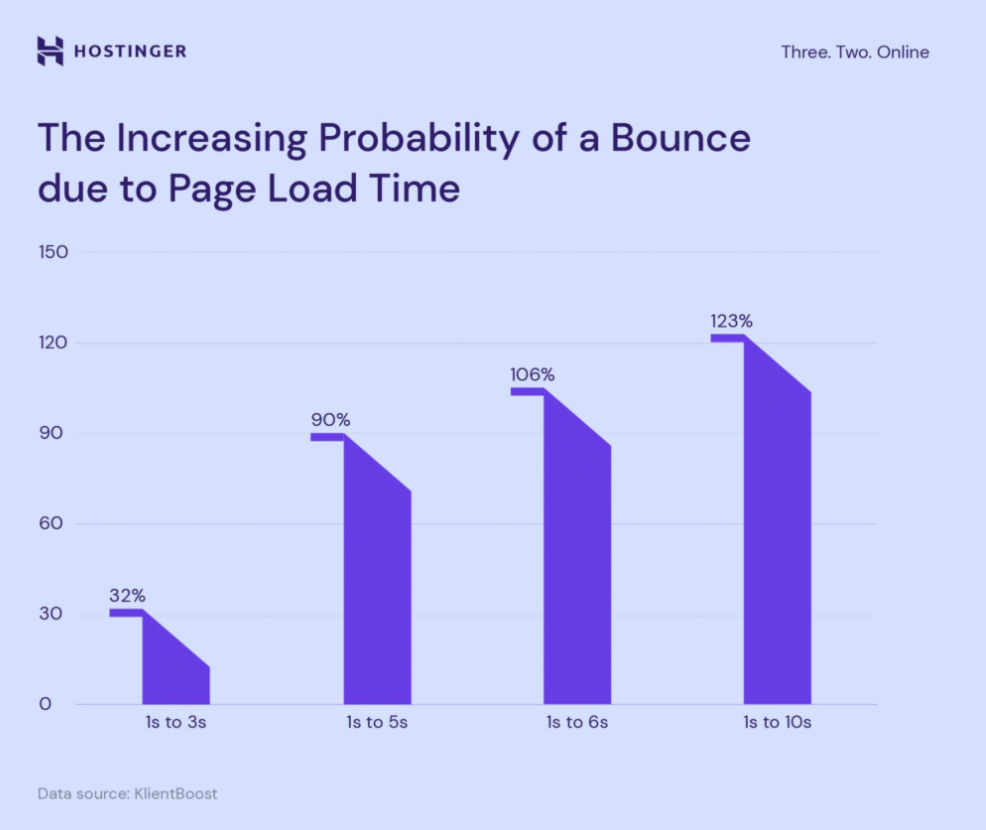
For regular maintenance, it’s recommended to monitor site speed and uptime, identify any early bottlenecks, and resolve performance issues before they become a problem for users. A reliable hosting provider, with a properly set up cache, and control of server resources (such as bandwidth and storage), is equally important. Together, these factors contribute to more consistent performance.
Content Management and User Experience
The content on your website needs regular attention to remain accurate and relevant to both visitors and search engines. So, review your pages monthly to identify outdated information, expired promotions, or irrelevant details.
Improving navigation, refining layouts, and ensuring mobile responsiveness and cross-browser compatibility are also major contributors to a stronger visitor experience. Plus, accessibility checks help ensure the site meets compliance standards and widens its online presence.
Backups and Disaster Recovery
The reality is that no security system is perfect, and hardware failures, human errors, or natural disasters can disrupt your website without warning. However, with regular backups, you have an insurance policy against catastrophic data loss.
According to our recent poll, nearly 40% of respondents rely on Cloudways for both automated and on-demand backups!
Learn to take control of your data’s safety by mastering website and server backups with our step-by-step tutorial 👇https://t.co/P5eVDNbaY2
— Cloudways (@Cloudways) March 11, 2024
Automate your backups depending on how often you change your site and save them locally in many places (on-server/cloud ) to ensure that you still have a recent backup to Dropbox in the case of server crashes. With DR planning in place, if something untoward happens, the site can be restored swiftly and with as little disruption to your business operations as possible. It protects not only revenue but also reputation.
Analytics and Monitoring
How can you improve what you don’t measure? Analytics and monitoring tools provide insights into how visitors use your site, where problems exist, and which strategies succeed. Review these metrics regularly to spot trends, understand audience preferences, and detect technical issues affecting visitor experience.
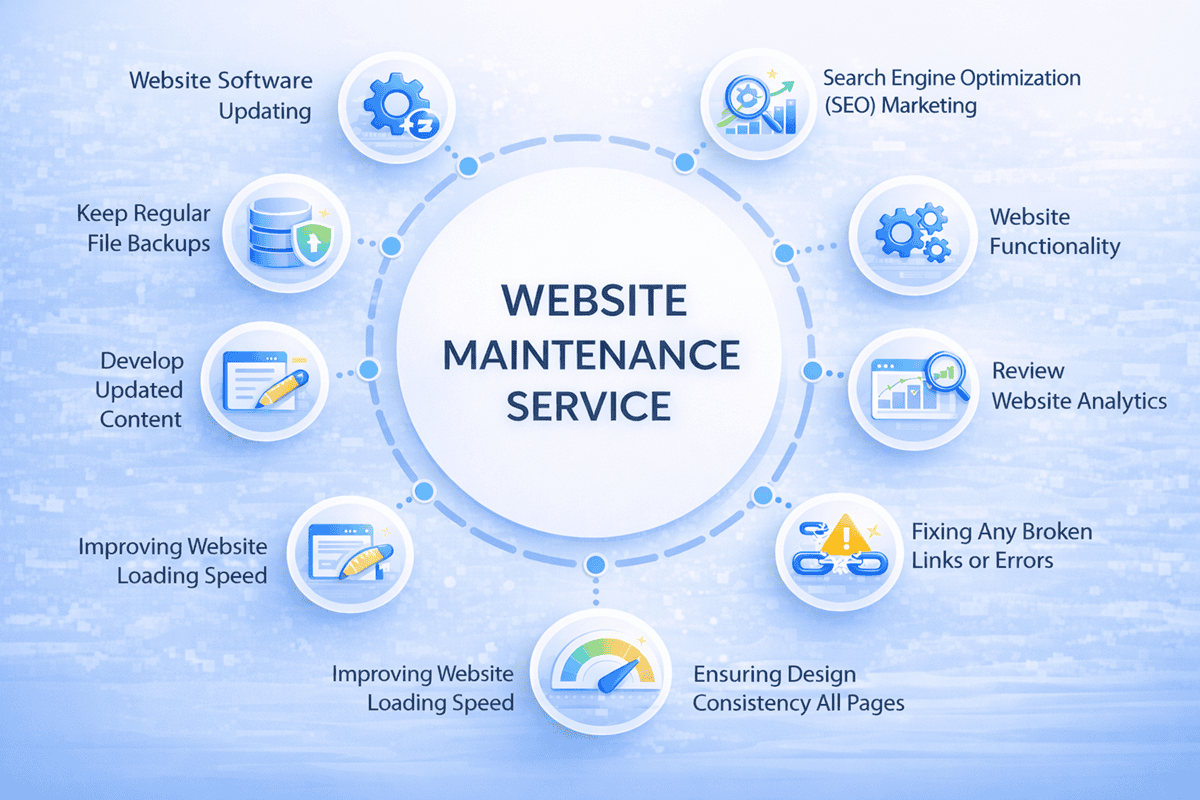
Also, consider setting up automated alerts to notify you when problems occur. A few issues to keep an eye on are:
- Sudden traffic drops
- Increased error rates
- Broken links
- SEO issues
- Security weaknesses
- Performance drops
With a mix of proactive monitoring and automated alerts, you transform maintenance from reactive firefighting to strategic optimization.
How Often Should You Perform Website Maintenance?
Once you know the components to focus on for proper maintenance, the next hurdle is understanding how often each one needs servicing. Here’s a structured schedule to help ensure no important tasks are overlooked.
Weekly Tasks
Weekly maintenance focuses on immediate, sometimes unexpected, concerns and ongoing performance reviews. That includes checking your website uptime and speed, reviewing analytics dashboards to spot unusual traffic patterns, moderating user feedback and comments on blogs or community forums, and scanning security logs.
Monthly Tasks
Monthly maintenance is for deeper technical work and content updates. Update your security software (including your CMS, plugins, and themes), run full malware scans, make sure recent backups completed successfully, test backup restoration procedures, and update content across key pages.
Quarterly Tasks
Quarterly reviews provide the opportunity for strategic assessment and planning. You can run SEO audits to evaluate keyword rankings, identify new optimization opportunities, and modify content strategy. Also, audit website design and user experience, and update marketing campaigns and CTA’s to align with current business objectives.
Annual Tasks
Annual maintenance focuses on administrative requirements and major strategic initiatives. That includes renewing domain registrations, hosting contracts, and SSL certificates before they expire. Then, conduct comprehensive content audits to identify outdated pages for updating or removal, and review all your plugins and extensions to remove those that are no longer needed.
| Maintenance Task | Frequency | Details |
| Update CMS/plugins/themes | Monthly | Apply security patches immediately; schedule feature updates monthly |
| Run malware scans | Monthly | Use security plugins to detect threats early |
| Review security logs | Weekly | Check for suspicious login attempts and activity |
| SSL certificate check | Annually | Verify certificate validity and proper configuration |
| Monitor site speed | Weekly | Test page load times across key pages |
| Check uptime status | Weekly | Use monitoring services for 24/7 tracking |
| Review server resources | Monthly | Monitor bandwidth, storage, and processing capacity |
| Update web content | Monthly | Refresh outdated information, add new content, and fix broken links |
| Review forms and CTAs | Quarterly | Test functionality and optimize conversion elements |
| Check mobile responsiveness | Quarterly | Test across devices and screen sizes |
| Verify cross-browser compatibility | Quarterly | Test in major browsers (Chrome, Safari, Firefox, Edge) |
| Run automated backups | Weekly | Based on site update frequency |
| Test backup restoration | Monthly | Verify backups work before you need them |
| Update disaster recovery plan | Annually | Revise procedures and contact information |
| Review analytics data | Weekly | Analyze traffic, engagement, and conversions |
| Monitor keyword rankings | Monthly | Track SEO performance and opportunities |
| Audit SEO strategy | Quarterly | Evaluate overall search performance and adjust tactics |
| Moderate comments/reviews | Weekly | Remove spam and respond to legitimate feedback |
| Review contact form submissions | Weekly | Ensure inquiries are being received and handled |
| Renew the domain and hosting | Annually | Set reminders well before expiration dates |
Next, it’s important to understand how to maintain a website without going over budget. There are two ways you can go: DIY or hire professional web design and development services.
- Do it yourself (DIY):You should budget $50-200 monthly for essential tools and services like security plugins, backup solutions, and monitoring platforms.
- Website maintenance services: Web maintenance for small businesses ranges from $75-$200 monthly for basic needs. Whereas, medium-sized businesses with greater needs can expect to pay $200-500 monthly. Enterprise-level sites that need ecommerce design and development services and site support can cost $500-5,000+.
Now, there are a number of variables that determine the cost of site maintenance. Let’s take a look at the most important ones:
| Factor | How It Affects Maintenance Cost |
| Complexity | A simple brochure site requires less maintenance than an international e-commerce platform. |
| Size | Websites with hundreds or thousands of pages need more time for content updates and technical maintenance than smaller sites. |
| Customization Level | A heavily customized site requires specialized expertise that standard CMS sites don’t need. |
| Update Frequency | A site updated daily will cost more to maintain than one updated monthly. |
| Service Provider Location | Different regions have different rate structures, which impacts the total maintenance cost. |
Most maintenance plans bundle security updates, performance monitoring, content support, and troubleshooting into predictable monthly fees. Meanwhile, higher-tier packages might also include content creation services, professional SEO services, accessibility audits, conversion rate optimization, and dedicated account management.
How to Maintain a Website: Step‑by‑Step Guide
The key to maintaining a website is a systemic approach, instead of reactive fixes. These steps will help you establish a maintenance routine that will keep your site running smoothly year-round:
| Maintenance Action | Description |
| Create a maintenance plan and schedule | Categorize tasks by frequency and assign responsibilities to your team or block time in your calendar if managing maintenance yourself. |
| Perform regular security updates and monitoring | Enable automatic security updates when possible and test major updates in a staging environment before deploying to your live site. |
| Check website performance and load speed | Use performance testing tools to benchmark speed and document baseline metrics to quickly detect performance drops. |
| Update and review website content | Schedule monthly content reviews, refresh outdated pages and blogs, and remove irrelevant content. |
| Run backup and recovery tests | Store encrypted backups in multiple locations and perform quarterly restoration tests in a staging environment. |
| Track data with analytics and monitoring tools | Define KPIs, set up goal tracking for key actions, and use insights to guide your content and optimization strategy. |
| Use automation and maintenance platforms | Automate security updates, backups, uptime monitoring, performance testing, broken link checks, and reporting. |
| Adapt maintenance for business size | Scale your maintenance scope based on your company’s growth, website complexity, and operational needs. |
| Consider managed hosting and maintenance partners | Outsourcing can cover server maintenance, security, migrations, and major redesigns while reducing the risk of costly errors. |
Tools and Resources for Successful Website Maintenance
Having the right tools makes maintenance much more effective. While maintenance needs might vary by business requirements, certain tools can benefit pretty much every website owner.
CMS auto-updates help to simplify software management, while security plugins like Sucuri and Wordfence help monitor threats. Backup solutions such as CodeGuard and BlogVault protect data, and uptime tools like UptimeRobot catch issues early.
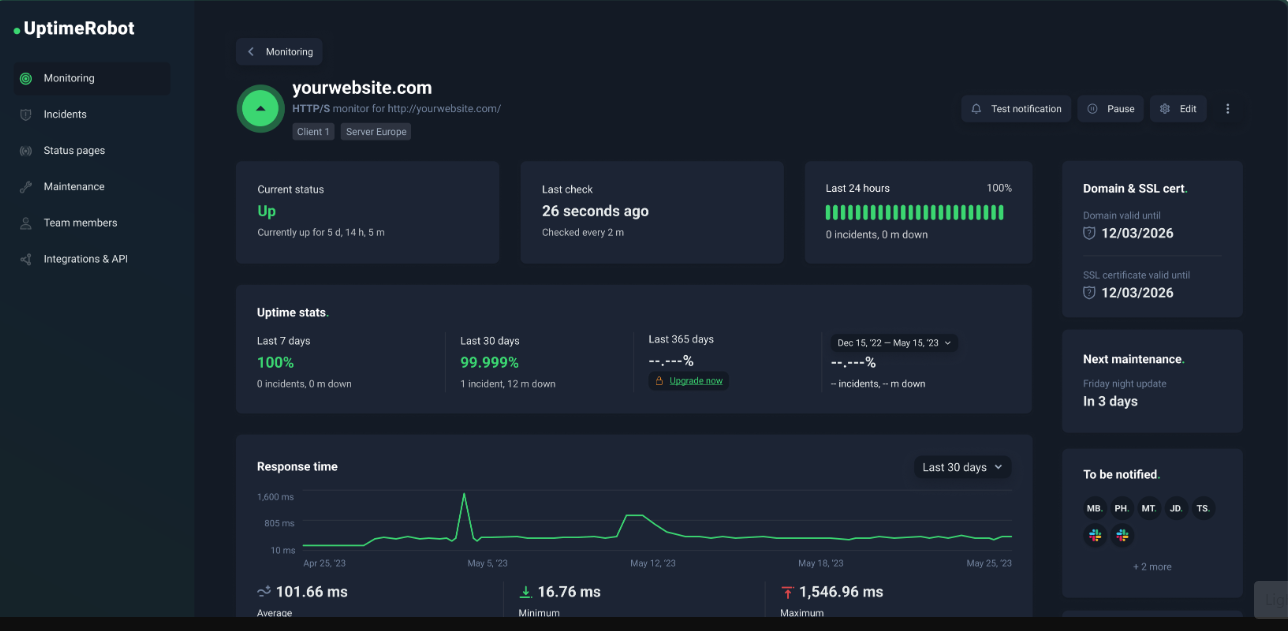
Performance platforms like GTmetrix, SEO tools such as Ahrefs and SEMrush, and analytics solutions like Google Analytics provide the insights needed to optimize continuously. The best hosting providers also offer automated updates, backups, and 24/7 support, which reduces operational overhead.
Accessibility and compliance tools also help you meet legal requirements over time. With automated accessibility testing, using tools such as ADA testing software, you can identify issues with color contrast, keyboard navigation, and other accessibility factors.
Final Thoughts
Thanks to the critical nature of first impressions on converting leads, having a fast-loading, easy-to-navigate website that communicates everything users need to know has become vital for your bottom line. Yet, it doesn’t stop there. Good website maintenance also includes security updates, optimization, content management, and backups (plus ongoing monitoring).
Whether you do the maintenance in-house, hire professionals, or a combination of both, what’s important here is having a plan and continuously executing it. Start by assessing your current maintenance practices; identify gaps, prioritize critical tasks, and establish the systems needed for consistent execution.
Your website is a key asset, so commit to the practices that keep it secure, fast, and effective for years to come.
